1. What Is an API, and Your First FastAPI App
Understand how clients and servers talk, meet FastAPI, and run your first endpoint with live documentation.
Where StudyDesk is now
Nothing exists yet. By the end of this article we will have a running FastAPI project called StudyDesk with one working endpoint and auto-generated documentation.
Part 1: Aman Gets a New Job
Aman finished the Python series. He knows functions, classes, files, uv, and .env. Now a small coaching institute hires him for his first real task:
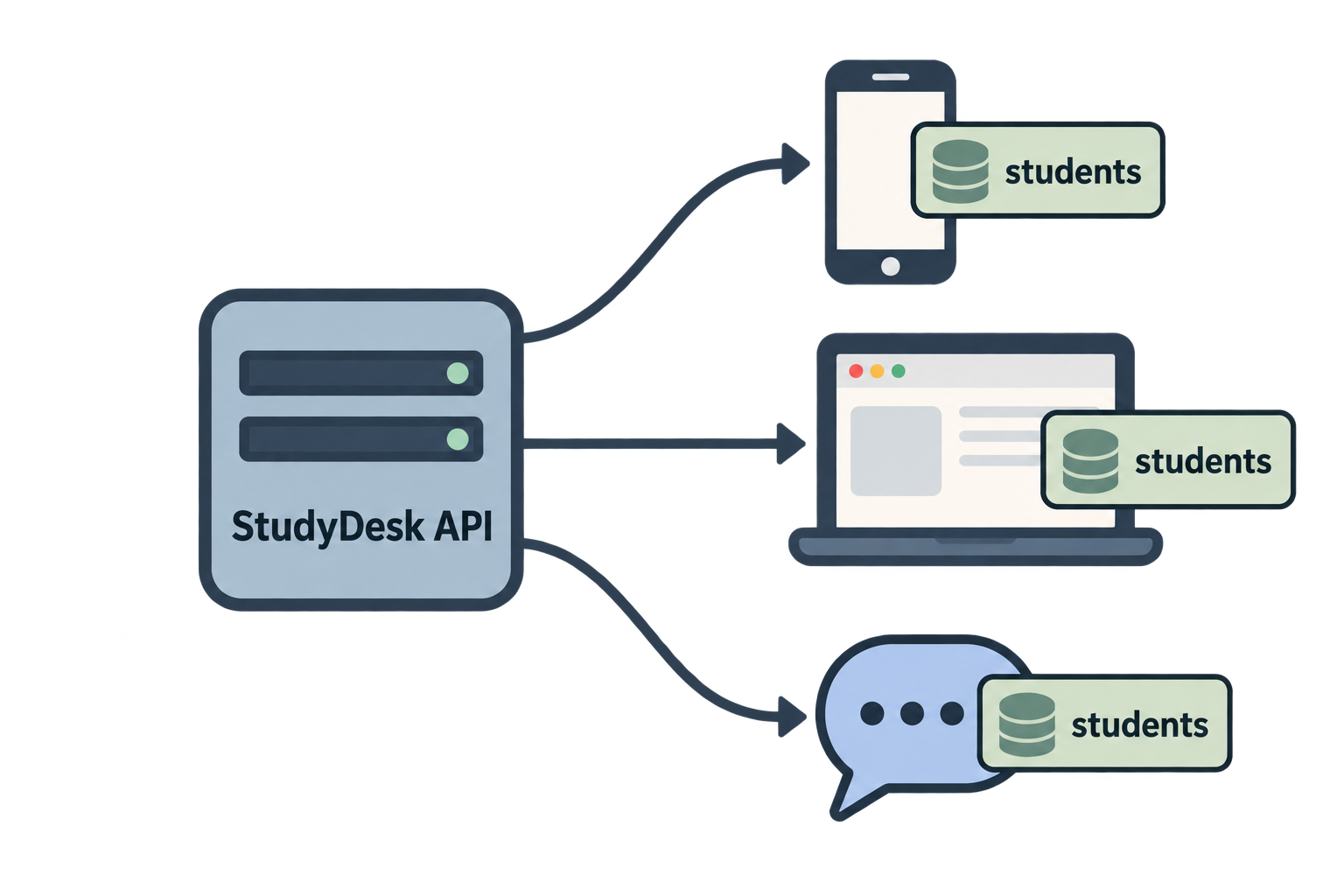
"We have 300 students. Their records are in an Excel sheet. We want a mobile app, a website, and a WhatsApp bot to all see the same data. Can you build that?"
Aman thinks: three apps, three codebases, three copies of the data? That sounds wrong.
Neha says, "You don't build three apps. You build one API. Then every app talks to it."
That one API is StudyDesk, and we will build it together across this whole series.
Part 2: What Is an API? (Client-Server Architecture)
The restaurant picture
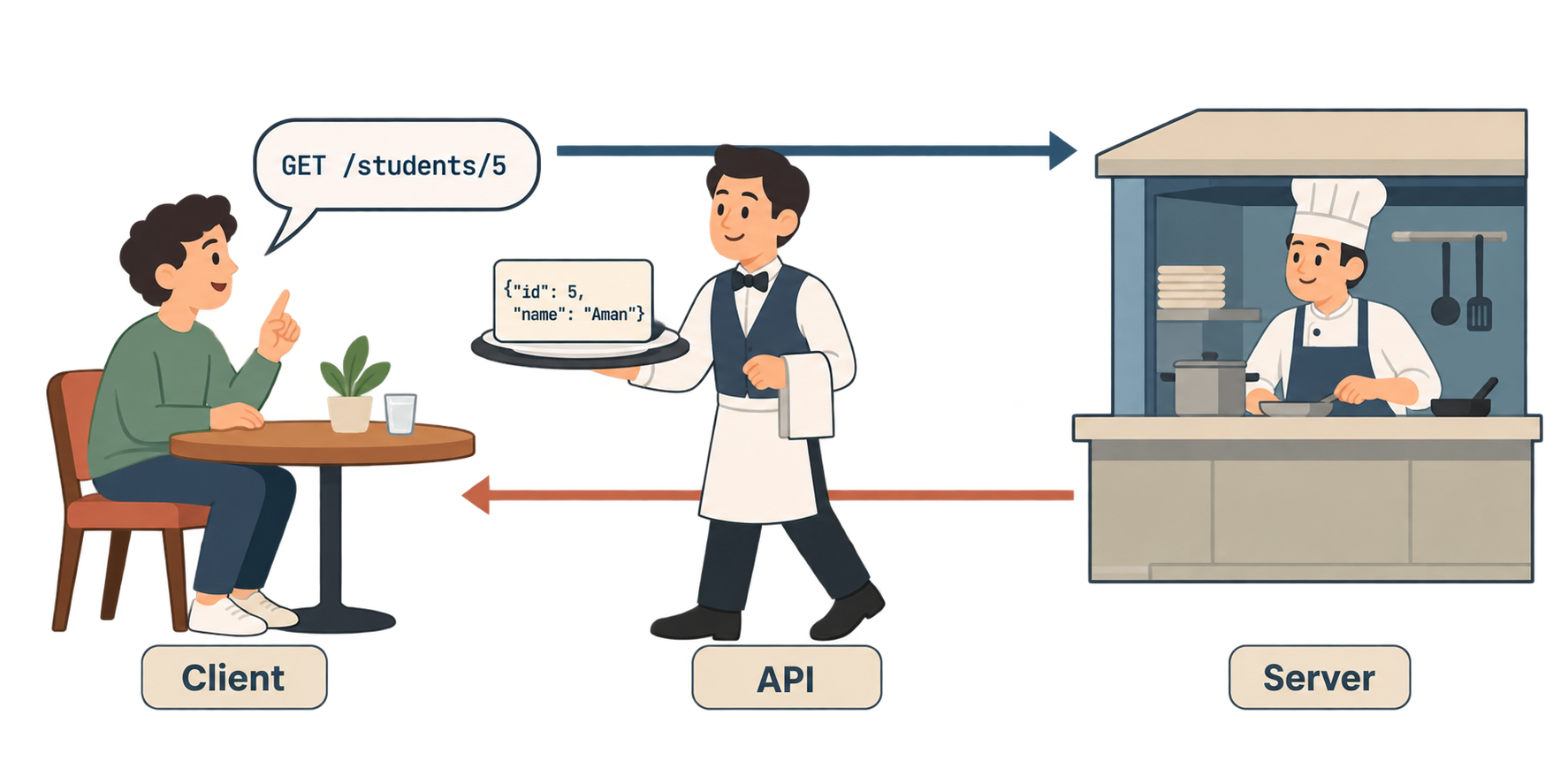
Think of a restaurant.
- You sit at the table. You are the client.
- The kitchen cooks the food. It is the server.
- The waiter takes your order to the kitchen and brings the food back. The waiter is the API.
You never enter the kitchen. You never see how the food is cooked. You just ask the waiter using the menu, and the waiter brings back a result.
An API (Application Programming Interface) is exactly this: a fixed way for one program to ask another program for something, and get a result back.
Client and server
- Client: the program that asks. A mobile app, a browser, a Python script, another server.
- Server: the program that answers. It holds the data and the logic.
They talk over the internet using HTTP, the same protocol your browser uses to load web pages.
Request and response
Every conversation has two halves:
- The client sends a request: "Give me student number 5."
- The server sends a response: "Here is student number 5: Priya, marks 88."
Client  ──── request:  GET /students/5 ────────▶  Server
Client  ◀─── response: {"name": "Priya", "marks": 88} ──  Server
Why not let apps read the database directly?
Because:
- Every app would need the database password (unsafe).
- Every app would need to repeat the same rules ("marks must be 0–100").
- Changing the database would break every app.
With an API, the rules live in one place. Apps only know the menu. The kitchen can change completely and nobody notices.
What does the data look like?
Almost all modern APIs send JSON. You already know it from the Python series: it looks like a Python dictionary.
{
  "id": 5,
  "name": "Priya",
  "marks": 88
}
Part 3: What Is FastAPI, and Why Developers Love It
Python has several frameworks for building APIs: Flask, Django REST Framework, and FastAPI. Aman's team chooses FastAPI.
What it is
FastAPI is a Python library for building web APIs. You write normal Python functions, add a small decorator, and FastAPI turns them into HTTP endpoints.
Why people love it
- Fast to write. Very little boilerplate. A working API is five lines.
- Fast to run. Built on Starlette and Uvicorn, with full async support. One of the fastest Python frameworks.
- Automatic documentation. Every API gets a live, interactive docs page for free at
/docs. You will see this in a few minutes. - Automatic validation. It uses Pydantic and Python type hints. If a client sends
"marks": "eighty"instead of a number, FastAPI rejects it automatically with a clear error. You write no extra code. - Editor support. Because of type hints, VS Code autocompletes everything.
- Modern Python. Async, type hints, dataclass-style models. Perfect for AI apps that call models and other APIs.
The three pieces
| Piece | Job |
|---|---|
| FastAPI | The framework. Defines routes and handles requests. |
| Pydantic | Data validation. Makes sure incoming data is correct. |
| Uvicorn | The server. Actually listens on a port and runs your app. |
FastAPI is the kitchen's recipe book. Uvicorn is the building the kitchen lives in.
Part 4: Project Setup with uv
We use uv from the Python series, with its package layout. This puts all our code inside a proper Python package called studydesk in a src/ folder. It looks like a little more structure at the start, but it pays off when the project grows in later articles.
Step 1: Create the project
uv init --package studydesk
cd studydesk
code .
(Some uv versions create this layout even without --package. Either way, you should see the structure below.)
What uv created
studydesk/
├── .venv/
├── src/
│   └── studydesk/
│       └── __init__.py
├── .gitignore
├── .python-version
├── pyproject.toml
├── README.md
└── uv.lock
And src/studydesk/__init__.py contains a placeholder:
def main() -> None:
    print("Hello from studydesk!")
Understanding the layout
src/is the "source" folder. All Python code lives here.src/studydesk/is a Python package (a folder with__init__.py). Its name isstudydesk, so in Python we can writeimport studydesk.__init__.pyis the file Python runs when the package is imported. Right now our whole app will live here. In later articles we add more files next to it (models.py,routers/, and so on).
uv installs this package into .venv in "editable" mode automatically. That means import studydesk works from anywhere inside the project, and changes to the code are picked up instantly.
pyproject.toml
Open it. It looks like this:
[project]
name = "studydesk"
version = "0.1.0"
description = "Add your description here"
readme = "README.md"
authors = [
    { name = "Aman", email = "aman@example.com" }
]
requires-python = ">=3.12"
dependencies = []

[project.scripts]
studydesk = "studydesk:main"

[build-system]
requires = ["uv_build>=0.8.0,<0.9.0"]
build-backend = "uv_build"
Two sections are new compared to the Python series:
[project.scripts]: creates a terminal command.studydesk = "studydesk:main"means "when someone typesstudydeskin the terminal, run themainfunction inside thestudydeskpackage." We will use this to start the server.[build-system]: tells uv how to build and install the package. Leave it as it is. (Your versions may differ slightly, for examplehatchlinginstead ofuv_build. That is fine.)
Step 2: Add FastAPI and Uvicorn
uv add "fastapi[standard]"
fastapi[standard] installs FastAPI plus Uvicorn and a few useful extras (like email validation, which we need in Article 4). One command, everything we need for now.
pyproject.toml now shows:
dependencies = [
    "fastapi[standard]>=0.115.0",
]
Step 3: Check
uv run python -c "import fastapi; print(fastapi.__version__)"
You should see a version number like 0.115.x.
Part 5: Your First FastAPI Endpoint (__init__.py and Uvicorn)
Replace the contents of src/studydesk/__init__.py with this:
src/studydesk/__init__.py
from fastapi import FastAPI

app = FastAPI()


@app.get("/")
def home():
    return {"message": "Welcome to StudyDesk API"}
Reading it line by line
from fastapi import FastAPI Import the framework.
app = FastAPI() Create the application object. This is the kitchen. Every route will be attached to app.
@app.get("/") A decorator. It says: "When a client sends a GET request to the path /, run the function below." / is the root, the home page of the API.
def home(): A normal Python function. FastAPI calls it when the route is hit. The name does not matter to clients; only the path matters.
return {"message": "Welcome to StudyDesk API"} Return a dictionary. FastAPI automatically converts it to JSON and sends it as the response.
That is a complete API.
Run it with Uvicorn
uv run uvicorn studydesk:app --reload
Reading the command:
uvicorn→ the serverstudydesk:app→ in the packagestudydesk, find the object calledapp--reload→ restart automatically when you save a file (development only)
Because uv installed our package into .venv, Uvicorn can import studydesk from anywhere in the project. You do not need to cd into src/.
Output:
INFO:     Uvicorn running on http://127.0.0.1:8000 (Press CTRL+C to quit)
INFO:     Started reloader process
INFO:     Application startup complete.
Test it
Open your browser and go to:
http://127.0.0.1:8000
You see:
{"message": "Welcome to StudyDesk API"}
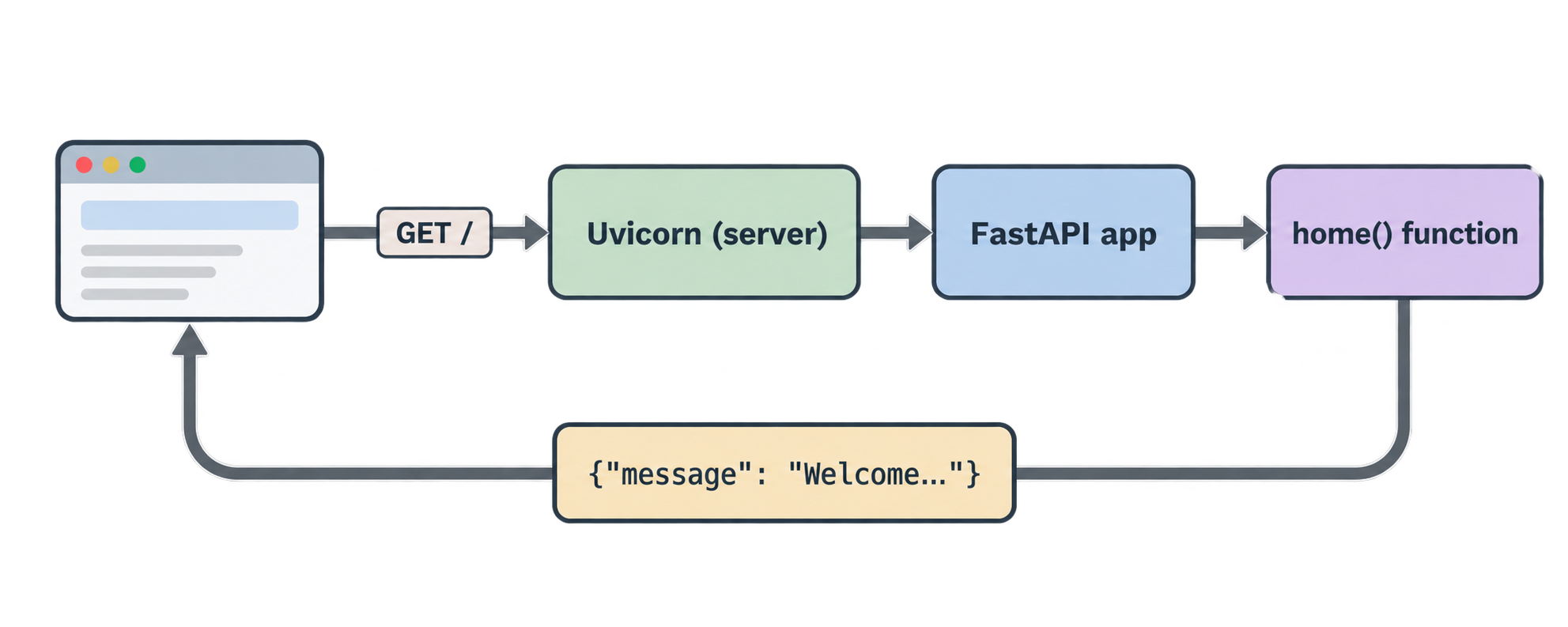
Your browser was the client. It sent GET /. Uvicorn received it, FastAPI ran home(), and the dictionary came back as JSON.
What is 127.0.0.1:8000?
127.0.0.1(also calledlocalhost) means "this computer".8000is the port, like a door number. Uvicorn listens at that door.
Right now only your own machine can reach the API. In Article 9 (Docker) we make it reachable from elsewhere.
A shortcut: uv run studydesk
Remember [project.scripts] in pyproject.toml? It points to studydesk:main. Let's make main() start the server for us, so nobody has to remember the Uvicorn command.
src/studydesk/__init__.py
import uvicorn
from fastapi import FastAPI

app = FastAPI()


@app.get("/")
def home():
    return {"message": "Welcome to StudyDesk API"}


def main() -> None:
    """Start the development server."""
    uvicorn.run("studydesk:app", host="127.0.0.1", port=8000, reload=True)
Now this works:
uv run studydesk
Same server, same output, shorter command. Both ways of starting are fine. In this series we will write uv run studydesk because it is shorter, but uv run uvicorn studydesk:app --reload always works too.
Note that uvicorn.run() is given the string "studydesk:app", not the app object. That is required for reload=True to work: Uvicorn needs to know where to re-import the app from after a file changes.
Part 6: Exploring the Interactive Swagger UI (/docs)
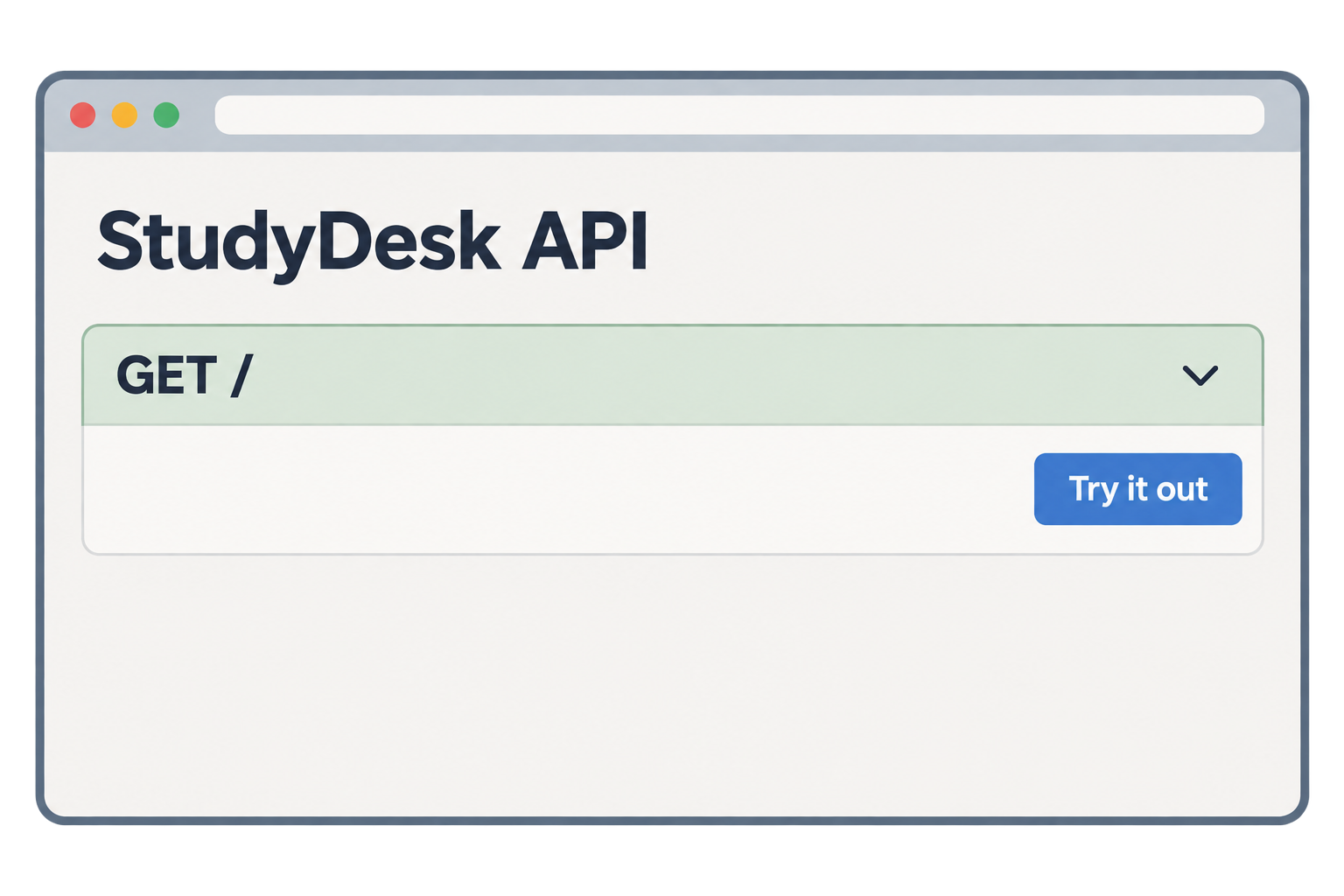
Now the part that makes people fall in love with FastAPI. With the server still running, open:
http://127.0.0.1:8000/docs
A full documentation page appears. It lists every route in your app. Right now there is one: GET /.
What you can do here
- Click on
GET /to expand it. - Click Try it out.
- Click Execute.
Swagger sends the real request to your server and shows:
- the curl command it used
- the request URL
- the response code (
200) - the response body (your JSON)
You just tested your API without writing a single line of test code, and without Postman or a frontend.
Where does this page come from?
FastAPI reads your code — the paths, the methods, the function parameters, the type hints — and builds an OpenAPI description of your API automatically. Swagger UI renders that description as a web page.
There is a second style at:
http://127.0.0.1:8000/redoc
Same information, different layout. Many teams prefer /docs for testing and /redoc for reading.
And the raw description itself is at:
http://127.0.0.1:8000/openapi.json
Frontend developers can use this file to generate client code automatically.
Add a title
Let's make the docs page look like ours.
src/studydesk/__init__.py
import uvicorn
from fastapi import FastAPI

app = FastAPI(
    title="StudyDesk API",
    description="Student records API for a coaching institute.",
    version="0.1.0",
)


@app.get("/")
def home():
    return {"message": "Welcome to StudyDesk API"}


def main() -> None:
    """Start the development server."""
    uvicorn.run("studydesk:app", host="127.0.0.1", port=8000, reload=True)
Save. Uvicorn reloads. Refresh /docs. The title, description, and version now appear at the top.
Part 7: HTTP Methods Overview (GET, POST, PUT, DELETE)
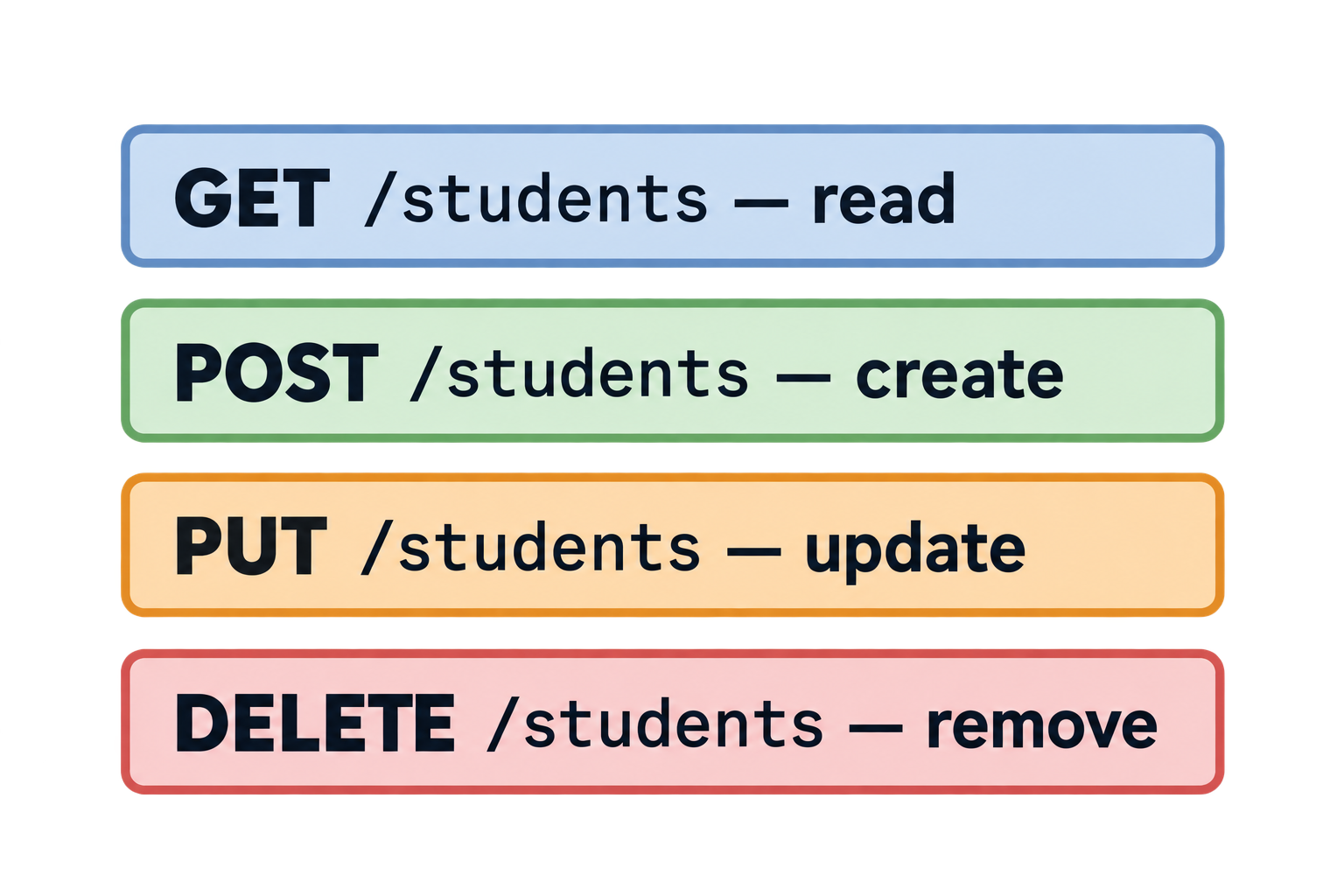
Our one route uses @app.get. GET is one of several HTTP methods. The method tells the server what kind of action the client wants.
The four we will use
| Method | Meaning | Example in StudyDesk | Has a body? |
|---|---|---|---|
| GET | Read data | Get all students, get one student | No |
| POST | Create new data | Add a new student | Yes |
| PUT | Update existing data | Change a student's marks | Yes |
| DELETE | Remove data | Delete a student | No |
A body is extra data sent with the request. When you create a student, you must send the student's details. That goes in the body as JSON. A GET has no body because it only asks.
You will also hear of PATCH (partial update). We will use PUT with partial updates in Article 5, the same way the course does.
Same path, different methods
One path can respond to several methods. /students can mean:
GET /students→ list studentsPOST /students→ create a student
The path says what thing. The method says what action.
A preview of all four
We will build these properly in Articles 2 to 5. Here is a sneak peek so you can see the pattern. This is a preview, not the real StudyDesk code yet — it just returns messages.
src/studydesk/__init__.py
import uvicorn
from fastapi import FastAPI

app = FastAPI(
    title="StudyDesk API",
    description="Student records API for a coaching institute.",
    version="0.1.0",
)


@app.get("/")
def home():
    return {"message": "Welcome to StudyDesk API"}


@app.get("/students")
def get_students():
    return {"message": "This will return all students"}


@app.post("/students")
def create_student():
    return {"message": "This will create a student"}


@app.put("/students")
def update_student():
    return {"message": "This will update a student"}


@app.delete("/students")
def delete_student():
    return {"message": "This will delete a student"}


def main() -> None:
    """Start the development server."""
    uvicorn.run("studydesk:app", host="127.0.0.1", port=8000, reload=True)
Save and open /docs. You now see five routes, each with a colored bar:
- GET → blue
- POST → green
- PUT → orange
- DELETE → red
Try each one with Try it out. Notice: you can only test POST, PUT, and DELETE from Swagger, not from the browser address bar. The address bar can only send GET. That is one more reason /docs is so useful.
The idea behind REST
An API built this way — resources as paths (/students), actions as HTTP methods — follows a style called REST. You do not need to memorise the theory. Just remember: nouns in the path, verbs in the method.
Good: GET /students/5 Not RESTful: GET /getStudentById?id=5
Both work in FastAPI, but the first one is what professionals expect.
Where StudyDesk is after this article
studydesk/
├── .venv/
├── src/
│   └── studydesk/
│       └── __init__.py     ← FastAPI app with 5 preview routes + main()
├── .gitignore
├── .python-version
├── pyproject.toml          ← fastapi[standard], studydesk script
├── README.md
└── uv.lock
Run it:
uv run studydesk
http://127.0.0.1:8000→ welcome messagehttp://127.0.0.1:8000/docs→ interactive documentation
Concept Quiz
Answers are below. No coding needed.
Q1. In the restaurant picture, which part is the API: the customer, the waiter, or the kitchen?
Q2. What are the two halves of every HTTP conversation?
Q3. Name the three pieces that make a FastAPI project run, and the job of each.
Q4. What makes the folder src/studydesk/ a Python package?
Q5. In uvicorn studydesk:app --reload, what does studydesk:app mean?
Q6. What does the [project.scripts] line studydesk = "studydesk:main" do?
Q7. What URL shows the interactive documentation?
Q8. Which HTTP method would you use to add a new student? To read a student? To remove one?
Q9. Why can you test POST from /docs but not from the browser address bar?
Q10. Which is more RESTful: GET /students/5 or GET /getStudent?id=5? Why?
Answers
- The waiter. It carries requests to the kitchen (server) and brings responses back to the customer (client).
- The request (from client to server) and the response (from server to client).
- FastAPI defines routes and handles requests; Pydantic validates data; Uvicorn is the server that listens on a port and runs the app.
- The
__init__.pyfile inside it. A folder with__init__.pycan be imported withimport studydesk. - In the package
studydesk, find the object namedapp. - It creates a terminal command
studydeskthat runs themain()function in our package. We use it to start the server withuv run studydesk. http://127.0.0.1:8000/docs- POST to add; GET to read; DELETE to remove.
- The browser address bar can only send GET requests. Swagger UI can send any method, with a body.
GET /students/5. The path is a noun (the resource), and the method is the verb (the action).
Epilogue
Aman has a running API. It does not do much yet, but it already has something his old scripts never had: a live page where anyone can see what it offers and try it.
Neha looks at /docs and says, "Good. Now make it return real students."
In the next article, we load student data from a JSON file, build GET /students and GET /students/{id}, and learn what to do when a student does not exist: HTTP status codes and HTTPException.
Comments
Join the discussionNo comments yet. Be the first to comment.